Step 4 - Add VERSITAL Administrators
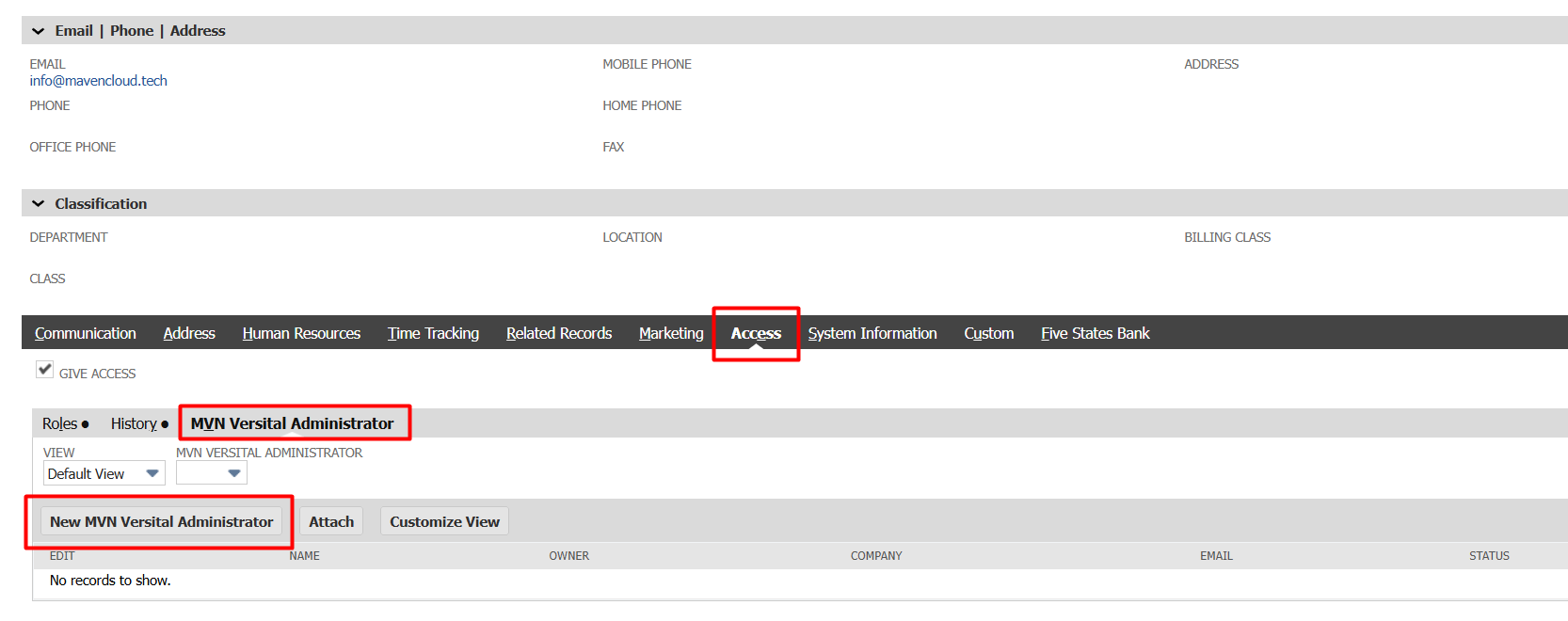
- In NetSuite navigate to the Employee record that you want to give access to VERSITAL to. Then on the Access subtab click "New VERSITAL Administrator"
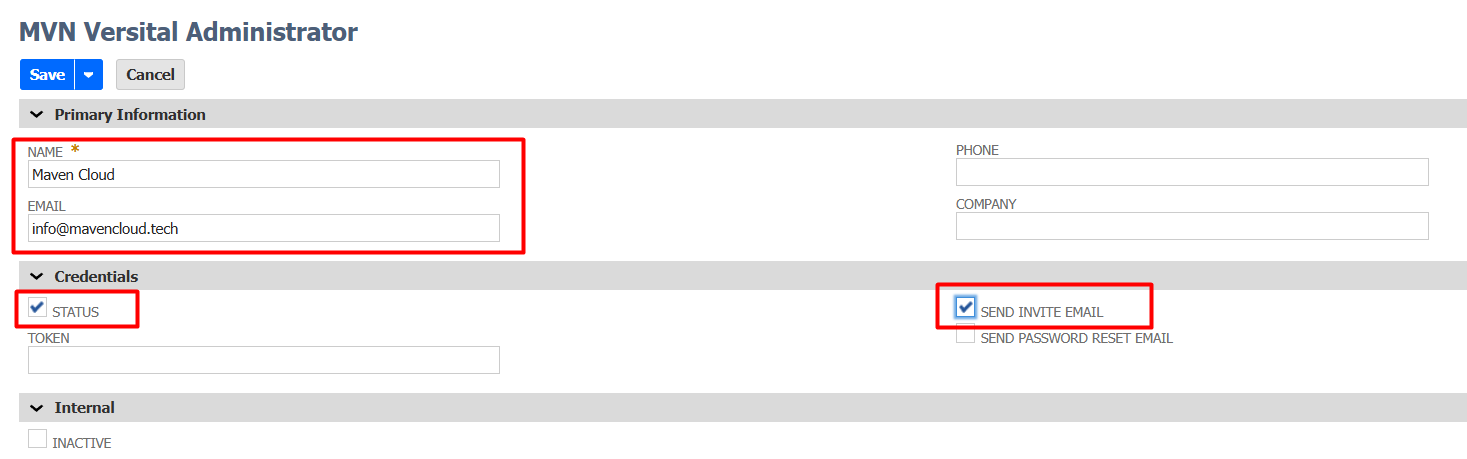
- Enter the Name and Email address for this Administrator. Mark the Status checkbox and mark "Send Invite Email", then Save the record.
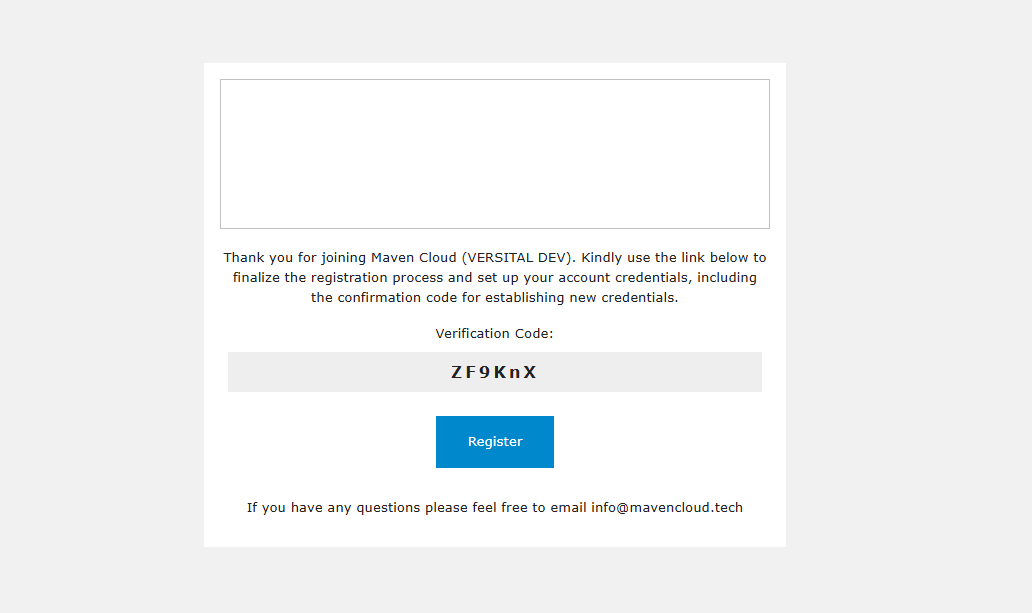
- Your new administrator will receive an email invitation to setup their credentials. Please have them click the Register button to complete their account setup.
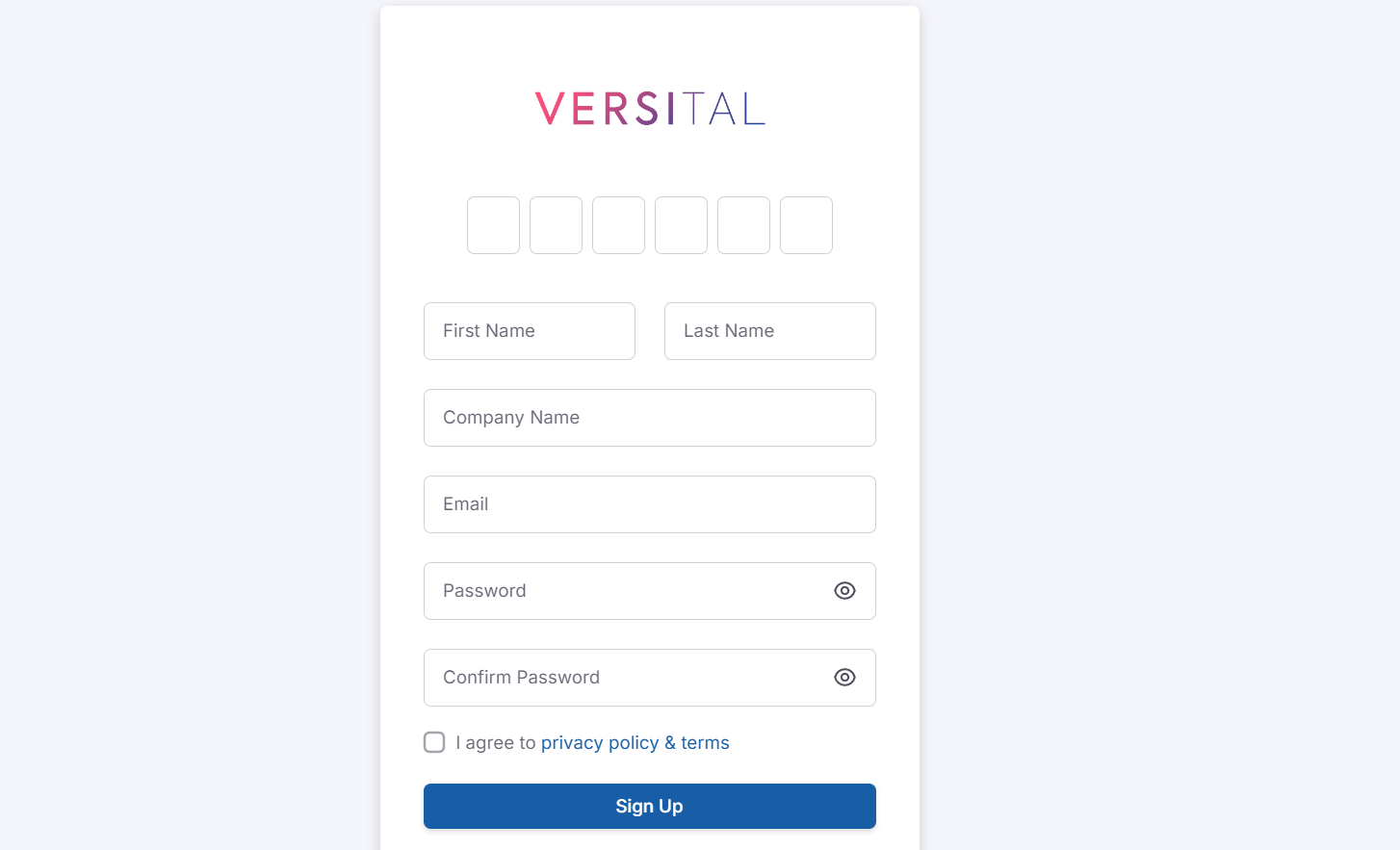
- Enter your email address and Verification Code, then complete the remaining information to finish setting up your credentials.
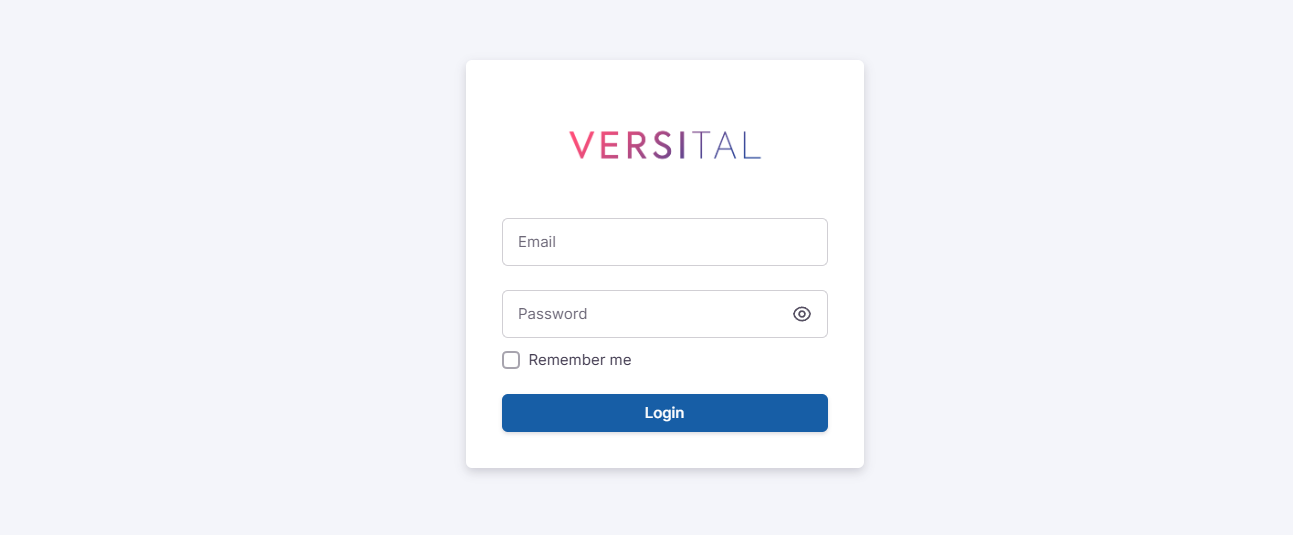
- Once complete click the Sign In link or navigate to the Admin console at www.versital-admin.com
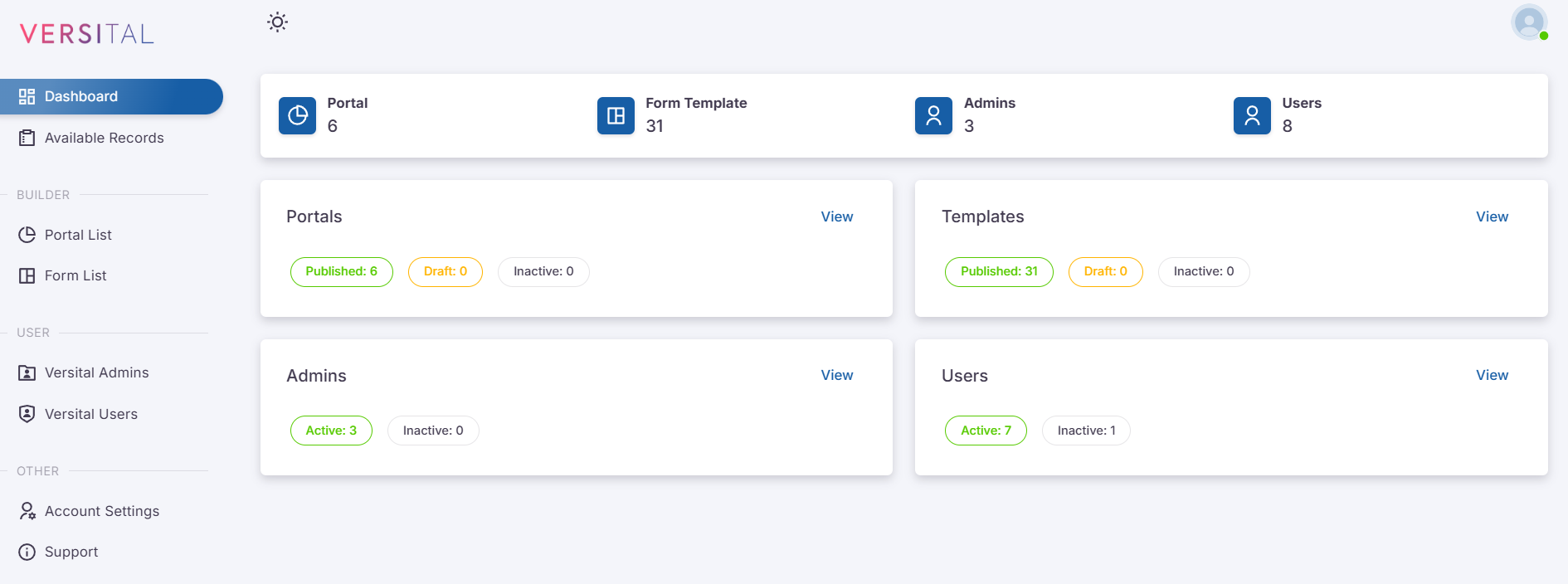
- Once successfully logged in you will see the VERSITAL Admin dashboard.
Related Articles
Step 8 - Creating a Portal
When you create a portal you are creating a user interface for your VERSITAL Users to interact with your NetSuite data. The portal consists of a group of Form Templates, Records and other Custom Elements that you configure, then assign to users. ...
Step 3 - Connecting the Admin Console
When creating Access Tokens be sure to note the Role used by the employee in which the Access Tokens are created. It is recommended that you create tokens for VERSITAL using the Administrator role, however, you can assign other roles to this token ...
Step 7 - Creating a Form Template
When you choose to grant View, Create or Edit permissions for individual records in VERSITAL, each record is displayed using a pre-defined form template that you can configure. Each form template can be customized to show only the fields that you ...
VERSITAL Elements Reference Guide
Click on the record type below to view detailed information on how each element can be configured in the VERSITAL portal builder NetSuite Records Entity Records Entity records in NetSuite represent a business entity that you work with. Most commonly ...
Step 1 - Prerequisites
Welcome to VERSITAL the Universal Portal builder for NetSuite! Follow this step by step guide to a successful implementation and other detail training documentation forBefore installing VERSITAL please ensure you have the following features enabled. ...
